Confirm the Direct Model call
Introduction
In this module, you will see that the Seven Hills AI Agent calls Workers AI directly. You will then create an AI Gateway and a single-model dynamic route without connecting the agent yet.
This establishes a clean baseline before adding authentication, routing, cost controls, and data protectio, mantaining Agent operations undisrupted. Seven Hills continues serving standard shopping and premium Concierge requests on the existing model, while AI Gateway prepares a centralized control point for later exercises without disrupting the ecommerce experience.
Architecture Context
Seven Hills agent -> Workers AI binding
                      Llama 3.3 70B

AI Gateway seven-hills -> seven-hills-route -> Workers AI
                         created, not connected
Creating a gateway does not intercept existing AI traffic. The application must explicitly send requests through that gateway.
Seven Hills classifies model requests server-side as standard_chat or concierge. Both start on the same 70B model.
Steps
1. Create the AI Gateway
- In the Cloudflare dashboard, select your lab account.
- Go to AI > AI Gateway.
- Scroll down and select Create a custom Gateway.
- Set Gateway name to
seven-hills - Leave default settings for now and select Create.
- Open Settings and confirm logging is enabled.
- Leave cache, rate limiting, spend limits, Guardrails, and DLP disabled.
Standard billing charges Workers AI usage to the Cloudflare account at the end of the billing cycle.
Unified Billing allows users to call Workers AI and connect to various AI providers and receive a single Cloudflare bill. It requires credits to be loaded first, and adds a 5% fee when credits are purchased - but no 3rd party LLM provider account required.
Bring Your Own Keys allows you to be charged directly by your AI providers.
See Create a gateway and Unified Billing.
2. Create the initial dynamic route
- In
seven-hills, open Dynamic Routes and select Start from Scratch. - Set the route name to
seven-hills-routeand Create. - Select the Model node.
- Configure:
| Field | Value |
|---|---|
| Provider | Workers AI |
| Model | @cf/meta/llama-3.3-70b-instruct-fp8-fast |
- Confirm the model node connects to the End node.
- Select Save and Deploy
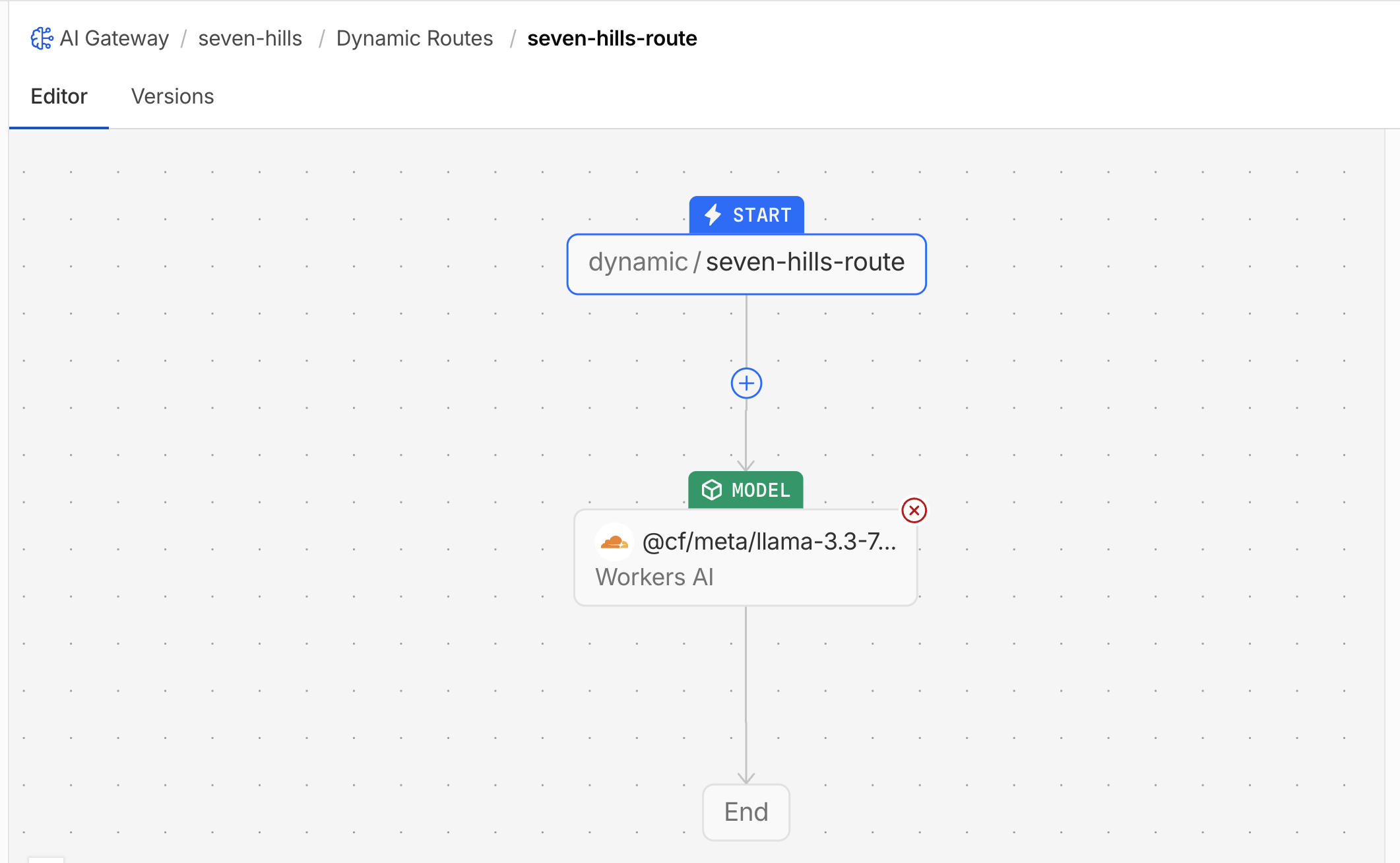
The application will call dynamic/seven-hills-route from the beginning. At first it behaves like the original fixed 70B model. Later you will assign a more capable, higher-cost model to the premium Concierge use case, without redeploying the application.
Useful scenarios:
- Conditional routing: An ecommerce business can send premium Concierge customers to a larger model while routine shopping questions use a smaller, lower-cost model. This aligns model capability and cost with the value of each interaction.
- Budget fallback: A cost cap can protect the premium model's budget and automatically route subsequent requests to the smaller model when that cap is exceeded. Customers continue receiving responses without requiring application changes.
- A/B testing: A predefined percentage split can send traffic to two models without changing application code. Teams can compare response quality, latency, and cost before committing to a wider rollout.
What You Established
You verified that the agent still uses the direct Workers AI path and prepared the seven-hills gateway with a deployed route to the same baseline model.
The application remains operational for legitimate shopping requests, while the new gateway provides the foundation for securing model access and aligning model choice and cost with each ecommerce interaction. No traffic crosses the gateway until you explicitly connect the agent in the next exercise.
Troubleshooting
The status endpoint is missing or does not report direct mode
- Confirm that you are using the assigned Seven Hills application.
- Refresh the application deployment supplied for this lab.
- Do not continue if the response already reports another gateway hostname.
The gateway already exists or cannot be created
- Confirm that you selected your assigned lab account.
- If
seven-hillsalready exists in that account, open it instead of creating a duplicate and confirm its settings match this exercise. - If Create Gateway is unavailable, ask the facilitator to verify your account permissions and AI Gateway entitlement.
The Workers AI model is not available in the route editor
- Search for the complete model name, including the
@cf/prefix. - Confirm Workers AI is enabled in the lab account.
- Do not substitute an untested model; ask the facilitator to confirm availability before continuing.
The route cannot be saved or deployed
- Confirm Start is connected to the model node and add an End connection if the editor requires one.
- Confirm the provider and complete model name are selected on the model node.
- Save the draft before deploying the route version.